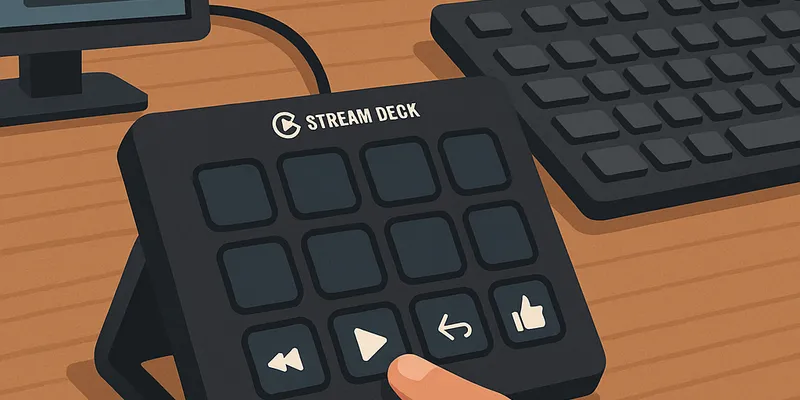
I bought a Stream Deck years ago hoping to improve my productivity in the home office, but quickly lost interest after the novelty wore off.
Stream Deck is a customizable control panel with LCD buttons that trigger computer actions like launching apps, controlling media, automating workflows. Originally designed for streamers, it's gained popularity among developers and productivity enthusiasts.
Since I didn't have any specific use for it, it sat in storage for months until I recently decided to give it another chance. This time with a focused approach.
Instead of trying to automate everything at once, I focused on solving one specific daily annoyance: controlling music without breaking my workflow. This targeted approach made me actually use the Stream Deck regularly.
Setting up music controls
My initial challenge was simple: I wanted to control YouTube Music without switching windows.
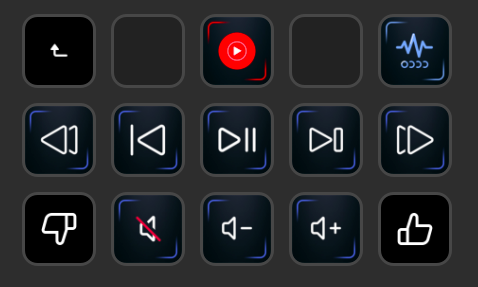
While mapping Stream Deck buttons to Mac's multimedia keys for basic playback (play/pause, next, previous) was easy, I also needed a way to like or dislike songs to curate my collection effectively.
I use the unofficial YouTube Music Desktop App which offers an API server plugin for controlling the app. However, there was a catch: Stream Deck couldn't directly execute terminal commands on Mac, and bash scripts weren't working. After some research, I found that I need to create Automator apps to execute the terminal commands. Not the most straightforward solution, but it works.
Here's how I set it up:
- Configure buttons on the Stream Deck to use the Mac's multimedia keys for basic playback controls.
- Install YouTube Music Desktop App and enable its API server plugin
- Install
xhfor HTTP requests - Create Automator apps for these API endpoints:
http://0.0.0.0:26538/api/v1/like     # Like/unlike
http://0.0.0.0:26538/api/v1/dislike  # Dislike
http://0.0.0.0:26538/api/v1/pause    # Pause/play
- Assign the Automator apps to Stream Deck buttons
Solving a related problem
I use Super Whisper for speech-to-text via a Stream Deck button. But there was a problem: If music is playing, Super Whisper picks up the audio from it and the dictation doesn't work reliably.
I solved this by creating a multi-action button in Stream Deck that first pauses YouTube Music using the pause API endpoint, then launches Super Whisper. I added an & at the end of the script to run it in the background. This prevents error messages when YouTube Music is not running.
The launcher button for it is on the top right in the image above.
Physical layout change
I moved the Stream Deck from directly in front of me to the left of my keyboard. This position feels more natural—no more reaching forward to press buttons.
Beyond music control
I also use Stream Deck for:
- App launchers for development tools
- Home office lighting via Home Assistant integration
- System shortcuts like Do Not Disturb or taking screenshots
The bigger picture
This music control workflow is step one in an ongoing automation experiment. I'm documenting this success to create a template for future improvements and stay motivated. The key was finding the right approach to turn a failed purchase into a useful tool.