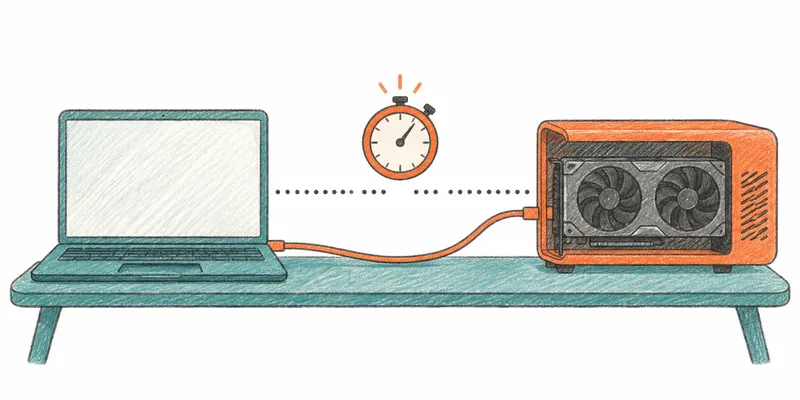
My eGPU never got detected if I was already logged into NixOS. To get it working, I had to time switching on the Razer Core X against switching on the laptop. Sometimes that worked first try. Sometimes it took a few reboots and more timing games, and I never found a pattern.
"Not detected" was the wrong diagnosis. The system saw the GPU, but the NVIDIA driver refused to use it, and after I fixed that, nothing in userspace could reach the card. The fixes were a kernel parameter and a device node. Now I can boot first and switch the enclosure on while logged in.
My setup
- Laptop: ThinkPad X1 Extreme Gen 1 (20MGS0EQ00), BIOS 1.47, with an internal GTX 1050 Ti Mobile and the Intel iGPU
- eGPU: Razer Core X Chroma (Thunderbolt 3) with an RTX 3060 Ti
- A Dell Thunderbolt 4 dock is also on the Thunderbolt chain
- NixOS 26.11 (unstable-ish), kernel 6.18.63, NVIDIA proprietary driver 580.196.07, COSMIC on Wayland
The snippets are NixOS, but the ideas apply to any distro.
Checking each layer: the system saw the GPU
When a hotplugged GPU doesn't appear, check four layers in order. I should have done this instead of rebooting repeatedly.
# 1. Did Thunderbolt authorize the enclosure?
boltctl list

# 2. Did the PCIe device enumerate? (mine was 09:00.0)
lspci | grep -i nvidia

# 3. Did the driver bind? Look for NVRM errors and bridge window failures
journalctl -k | grep -E 'NVRM|bridge window'

# 4. Does userspace have a device node, and does nvidia-smi see the card?
ls /dev/nvidia*
nvidia-smi -L
On my machine, steps 1 and 2 passed (bolt had authorized the enclosure, and lspci listed the GPU). Step 3 failed:
NVRM: This PCI I/O region assigned to your NVIDIA device is invalid
nvidia 0000:09:00.0: probe with driver nvidia failed with error -1
bridge window [mem size 0x100000000]: can't assign; no space
What was blocking the card
Checks 3 and 4 failed for different reasons. The first problem stops the driver from binding. The second hides the card from userspace once it does.
Bug 1: hpmemsize=4G left BAR0 unassigned
My config had pci=hpmemsize=4G,hpiosize=0 from an earlier attempt. I assumed a big GPU needs a big window.
It doesn't, because hpmemsize is the wrong window. It reserves the 32-bit non-prefetchable memory window for each hotplug bridge, and the kernel can't fit 4 gigabytes into 32-bit address space. It logged can't assign; no space and moved on. That left the GPU's 16 MB BAR0, which lives in the same window, without an address: the device's resource file in sysfs was all zeros, even though the 64-bit prefetchable BARs (256 MB and 32 MB) were fine.
The parameter for big GPU BARs is hpmmioprefsize, which sizes the 64-bit prefetchable window. Use a small hpmemsize and a large hpmmioprefsize:
boot.kernelParams = lib.mkBefore [
  "pciehp.pciehp_force=1"
  "pci=realloc"
  "pcie_ports=native"

  # hpmemsize: 32-bit non-prefetchable window, keep it small.
  # hpmmioprefsize: 64-bit prefetchable window for the GPU's big BARs.
  "pci=hpbussize=0x20,hpmemsize=64M,hpmmioprefsize=1G,hpiosize=0"
  "iommu=pt"
];
boot.extraModprobeConfig = lib.mkAfter ''
  options pciehp pciehp_force=1
'';
To check the result without reading dmesg, list the regions for your device (replace 09:00.0 with yours). Every region should have an address, not <unassigned>.
sudo lspci -vv -s 09:00.0 | grep Region
Bug 2: nvidia-smi ignored the card because /dev/nvidia1 didn't exist
After the window fix, the driver bound and /proc/driver/nvidia/gpus/ listed the 3060 Ti. But nvidia-smi still showed only the internal 1050 Ti.
This took me longest. ls /dev/nvidia* showed nvidia0 and nothing for the second card. The kernel module doesn't create device nodes itself. On a normal distro nvidia-modprobe creates them on demand, but it isn't available in my NixOS setup, so a GPU that appears after boot never gets a node. To confirm, I made one by hand:
sudo mknod -m 666 /dev/nvidia1 c 195 1
Both GPUs showed up in nvidia-smi immediately.
To automate that, a udev rule runs a script whenever the NVIDIA driver binds to a PCI device. The script reads each minor number from /proc/driver/nvidia/gpus/*/information and creates any missing node:
services.udev.extraRules = let
  nvidiaNodes = pkgs.writeShellScript "nvidia-create-nodes" ''
    for info in /proc/driver/nvidia/gpus/*/information; do
      [ -e "$info" ] || continue
      minor=$(${pkgs.gawk}/bin/awk '/Device Minor/ {print $NF}' "$info")
      [ -n "$minor" ] && [ ! -e "/dev/nvidia$minor" ] &&
        ${pkgs.coreutils}/bin/mknod -m 666 "/dev/nvidia$minor" c 195 "$minor"
    done
    exit 0
  '';
in ''
  ACTION=="bind", SUBSYSTEM=="pci", DRIVER=="nvidia", RUN+="${nvidiaNodes}"
'';
After a rebuild and reboot, I cold booted, switched the enclosure on while logged in, and the eGPU appeared in nvidia-smi.
One caveat: I had created /dev/nvidia1 by hand earlier and don't know whether I deleted it before testing. So I can't say the rule alone creates the node. It should, but I haven't proven it from a clean /dev.
Running programs on the eGPU with a wrapper script
With both cards visible, I wanted to run one program on the eGPU. My egpu-prefer wrapper sets environment variables and then execs the command.
It failed at first. My session sets VK_LOADER_DRIVERS_SELECT=*intel* and DRI_PRIME=pci-0000_00_02_0, which together hide the NVIDIA Vulkan driver. I never found where those variables come from, and they aren't in my dotfiles.
Native NVIDIA GLX offload also failed: it picked the 1050 Ti even when I gave it the eGPU's UUID. So the wrapper selects the card through Vulkan instead:
# Override the session's restrictions
export VK_LOADER_DRIVERS_SELECT="*nvidia*"
unset DRI_PRIME

# Pick the 3060 Ti by PCI vendor:device ID
export MESA_VK_DEVICE_SELECT="10de:2489"

exec "$@"
This is a trimmed version. The full wrapper also sets VK_DRIVER_FILES to the NVIDIA ICD path and a few CUDA variables. To check the selection:
MESA_VK_DEVICE_SELECT=10de:2489 VK_LOADER_DRIVERS_SELECT='*nvidia*' vulkaninfo --summary | grep deviceName
Vulkan lists the RTX 3060 Ti first, CUDA sees both GPUs, and rendering through egpu-prefer works.
What I haven't tested
I'd rather list these than imply it all works:
- Games. Rendering through the wrapper works, but I haven't run a game on the eGPU yet.
- The udev rule alone, without a hand-made node already in
/dev. - Safe unplug. I haven't tried hot-unplugging while the driver is in use. I'd stop everything using the card first.